









































































When this happens, do that.
Triggers, conditions and actions from a closed catalog, with a log of every run, a test on a real record and loop protection. Write them in the editor or ask Pimzi AI: “when a deal moves to Won, create an installation”.
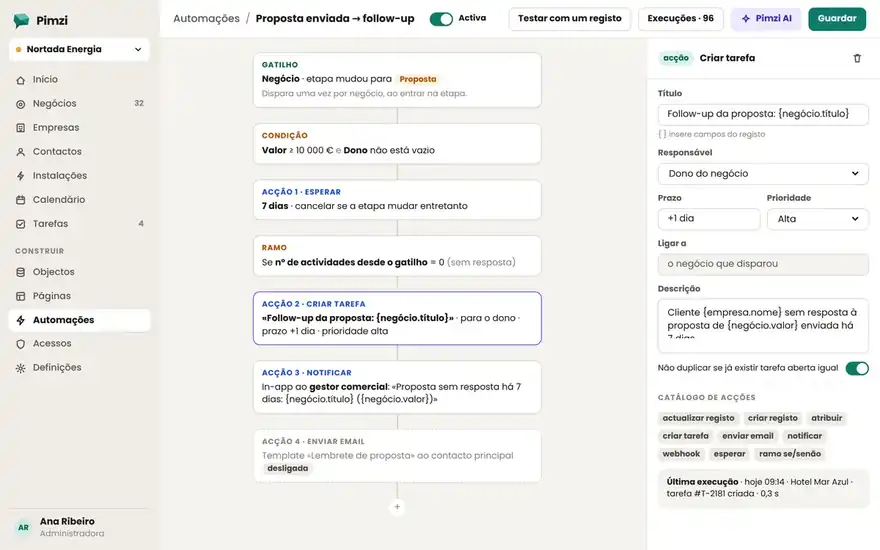
Everything an automation can listen for, ask and do.
- Record created, changed, deleted
- Field changed to a value
- Pipeline stage changed
- Date reached (X days before or after)
- Form submitted · email received
- Scheduled (daily, weekly, cron)
- Incoming webhook · manual button
- Comparisons on any field
- Previous value vs. new
- Fields of related records
- Who made the change (role, team)
- AND / OR / groups
- Wait N days, until a date or until an event
- Create, update or relate records
- Create task, assign, change stage
- Send email with template · notify · mention
- Call webhook · ask Pimzi AI (summarize, classify)
- Approval by a user
- Branch and stop
The six almost everyone turns on in the first week.
- SalesDeal stalled for 14 days → task for the owner
Daily scheduled trigger; condition no activity; action create task and notify.
- SalesWon → create the Installation and alert the technical team
Stage changed to Won; create related record; mention to the technical channel.
- ServiceWebsite form → contact + deal + welcome email
Submission; duplicates by email; “We've received your request” template.
- Clinic6 months after the last appointment → check-up reminder
Date reached; condition no appointment booked; email to the patient and task for reception.
- ManagementDeal above €50,000 → management approval
Value field; approval action; only moves stage after the OK.
- DataNew note → Pimzi AI classifies the sentiment and updates the field
Record created (Note); AI action; writes to a choice field.
Automations you know what they did.
- Run log
Every run with status, duration, affected record and what each action did. Repeat or revert.
- Test with a record
Before activating, run the automation on a real record in simulation mode.
- Loop protection
An automation can't trigger itself; maximum depth and per-minute limits.
- Clear quotas
200 runs/month on Free, 2,000 on Standard, 20,000 on Premium, unlimited on Enterprise.
“When a customer doesn't reply in 5 days, send the second email and let me know.”
Pimzi AI writes the automation, shows it in the editor and tests it with one of your records before turning it on.