

































































The CRM built to fit you. No code, no consultant.
A low-code engine dedicated to CRM: data model, pipelines, pages, views, menus, permissions and theme. All metadata, all with history. What Pimzi AI does from one sentence, you do in build mode. And vice versa.
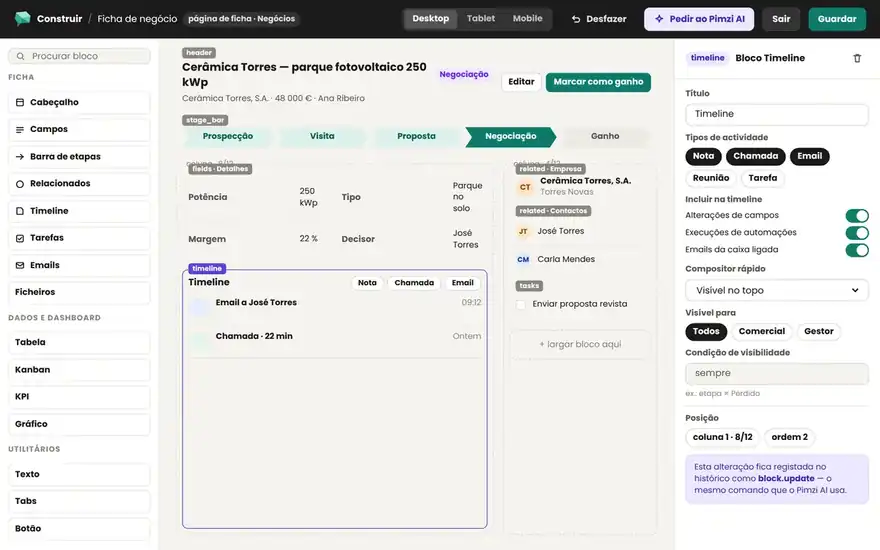
Three layers, one grid, zero free-form canvas.
A closed catalog, on purpose: what the AI generates looks good and what you assemble stays consistent.
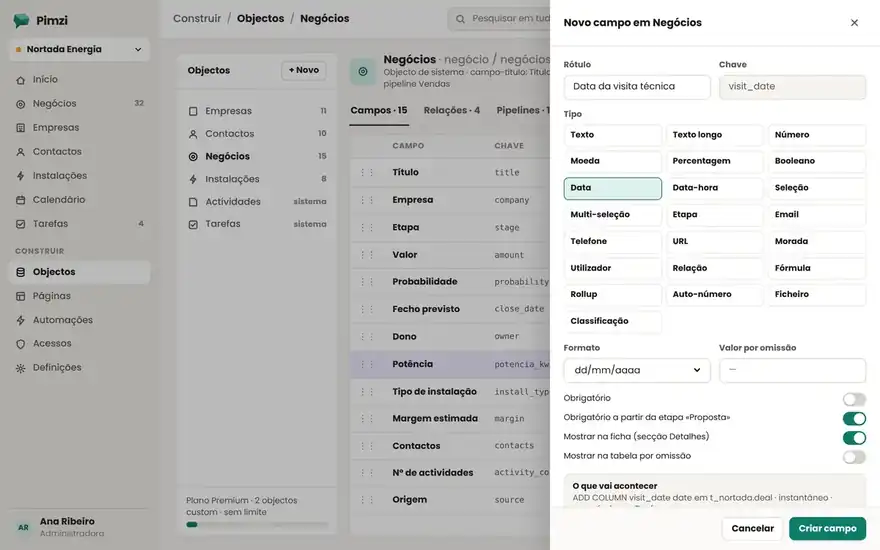
Objects, fields and relations.
The system objects (Companies, Contacts, Deals, Activities, Tasks) and yours (Installations, Quotes, Properties…). 22 field types, 1:N and N:N relations, enums, formulas, rollups, validations, default values, unique indexes and duplicate rules. Every object is a real table in Postgres.
Sections, columns and 20 blocks.
List, record, dashboard and free-form pages. Every page is sections with columns on a 12-column grid; in each column, blocks from the catalog: fields, timeline, related records, metric, chart, list, tasks, files, text, embed and more. Tabs, visibility by role and by record status.
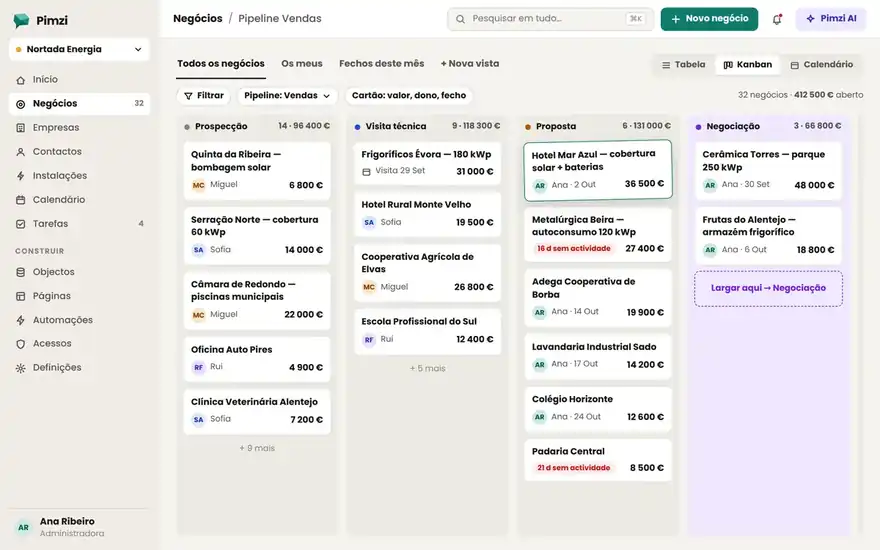
Saved views and each team's menu.
Table, kanban, calendar, cards, timeline and map; filters, sorting, grouping, columns and sharing at the personal, team or company level. The sidebar menu is yours: groups, order, icons, home page per role, shortcuts.
Closed, complete and documented, for you and for the AI.
22 field types
20 page blocks
6 view types · 4 page types · permissions per object and per field
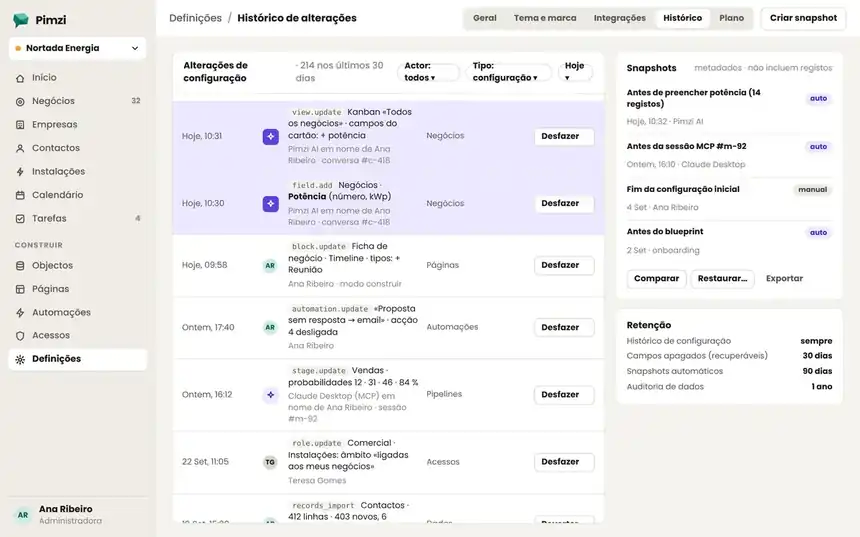
Everything that changed, who changed it and the button to go back.
Every configuration change (yours, a colleague's, Pimzi AI's or an agent's over MCP) is a command in the history with its inverse. Undo one, or restore an entire snapshot. Export the configuration as a blueprint and apply it to another workspace.
- Permissions
Roles per tenant. Per object: create, read, edit, delete; record scope: mine, team, all; field-level rules: read or write. They apply to the UI, the API, Pimzi AI and MCP.
- Theme and brand
Colors, logo, favicon, light and dark mode, custom domain (crm.yourcompany.com), language, currency and formats per tenant and per user. Public forms go out with your brand.